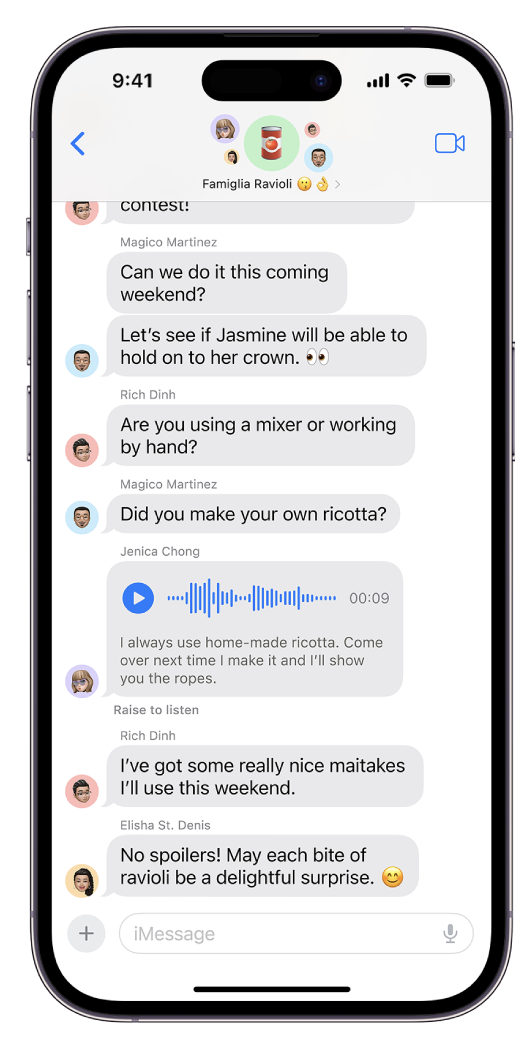
iOS -send audio messages

An easy way to send a message.

BUT (it happened to me) - the default setting is to delete them within a few minutes.

Apple’s instructions

Read this section

If you always want to keep audio messages, go to Settings  > Messages > Expire (below Audio Messages), then tap Never.

iOS new feature - Journal

Stay Tuned for Journal

Later this year

Capture your day

iPhone - Weather app update

Apple incorporated the neat features from Dark Sky.

Don’t miss the 24 hour forecast animation !

iPhone iOS17

It can read a page in Safari

Freeform on your iPad

This has some cool tools for working out your thoughts. It’s even better when you collaborate in real time or offline ! You might have to update your systems.

Apple's instructions

iPhone - My battery doesn't last (especially on an island)

Even when you aren’t using it, your iPhone is busy with background tasks. Uploading pictures, fetching mail and, especially when you’re moving about, searching for wifi.

And when you’re on an island, it has to work harder to connect to the cell towers on the mainland.

If you have a long day ahead, you can put it in Low Power Mode. Even for an hour will help. Stuff still works, you just have to wait for it to update, when you open the app. Toggle back and forth.

(If you’re really in desperation - go into airplane mode. but realizes NOTHING comes in or goes out)

Here’s how to use Low Power Mode

For quick Access, open Control Center by swiping down from the top right of the screen

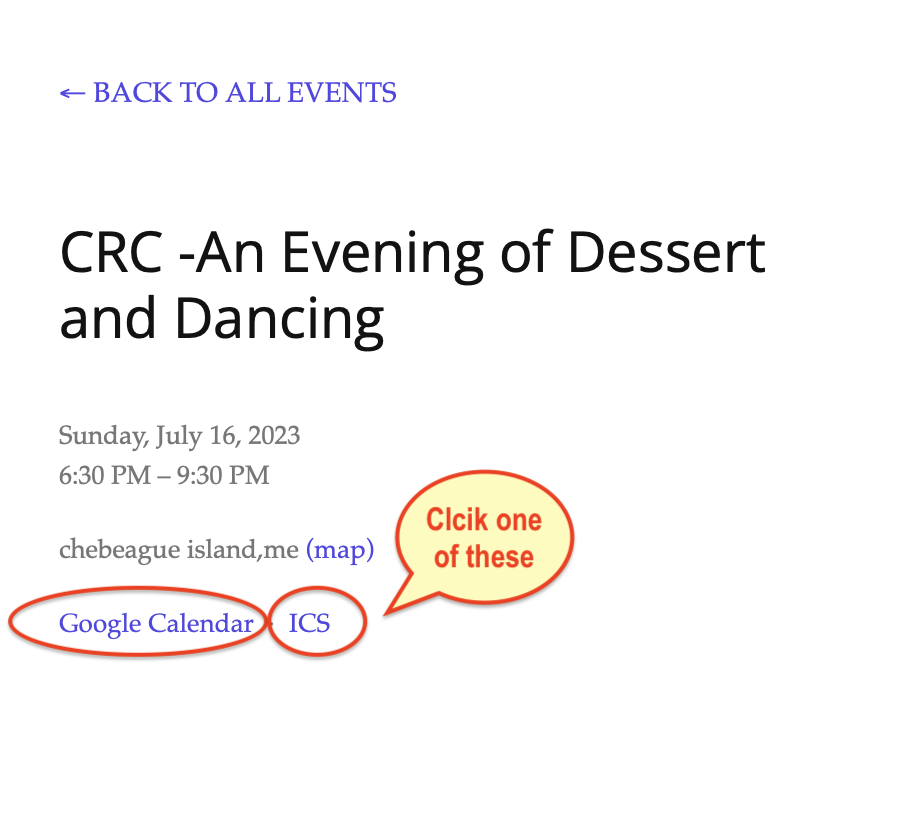
How to use an ICS button to add an event to your calendar

On the Events Calendar, there is a simple way to add the event to your personal calendar. (warning - as Bev reminded today - events are subject to change and you should always confirm with the host.)

  1. If you have an iPhone - click ICS.

  2. If Android - click Google Calendar

  3. Your device will ask you where to add this event. it may take some experimenting as devices are different. If you’re on a computer, it may save it to your desktop and you have to click it. It will ask you which calendar to save it to.

Please remember that, once you’ve imported the event - it does not automatically update and you should always confirm with the event host.

This is second image

How Mac Photos finds people

Mac Photos can use artificial intelligence to find people in your gazillion photos.

Kind of long but it is very powerful. And now it can recognize animals and things.

Apple’s Instructions

What's a PDF ? How to get some extra from Mac Preview

PDF is an abbreviation that stands for Portable Document Format. It's a versatile file format created by Adobe that gives people an easy, reliable way to present and exchange documents - regardless of the software, hardware, or operating systems being used by anyone who views the document.

They have become the standard and everyone uses them.

But there is software that allows to to modify them with highlighting or text boxes or, even a digital signature.

Another example of what you can do is - if you created a Word document - when you go to print it - instead of printing - there’s an option to make a pdf. So, you don’t need Word to read it and, it can’t be modified.

Here’s Apple’s Instructions

FBI warns against using public charging stations

Best not to use - all the info in your phone can be taken. Also, be careful of Public Wifi (best to use your cell plan). When traveling - just turn off wifi and it makes you iPhone search for cell data.

Karaoke with your iPhone

With iTunes on your phone, you can show the lyrics to sing along.

And if you’re feeling daring - you can actually turn down the vocal on the recording (amazing) as you sing aong

Apple's instructions